


|
|
|
|
|
Records can be modified in Data (ready) mode by:
To modify the current record by typing directly:
Clicking or tabbing into a field on a specific record will make
that record become the current record automatically.
When you exit the current row, the data will be saved to the backend database automatically.
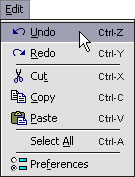
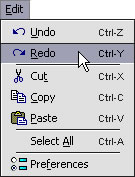
You can also use Undo and Redo to modify data in one or more fields in the current record.
To modify the current record using Undo and/or Redo:
Clicking or tabbing into a field on a specific record will make
that record become the current record automatically.
Press the keyboard shortcut CTRL-Z / CMD-Z. OR
Press the keyboard shortcut CTRL-Y / CMD-Y.
When you exit the current row, the data will be saved to the backend database automatically.
NOTE: Undo and Redo may not be available (enabled) for all actions.
Another way to modify data in one or more fields in the
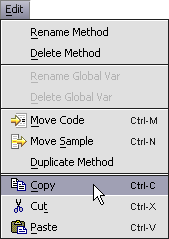
current record is to use the standard Edit menu commands -
Cut, Copy and Paste.
To modify the current record using Cut, Copy and/or Paste:
Clicking or tabbing into a field on a specific record will make
that record become the current record automatically.
Press the keyboard shortcut CTRL-C / CMD-C. OR
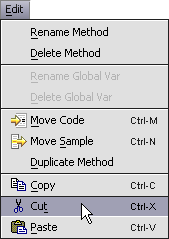
Press the keyboard shortcut CTRL-V / CMD-V.
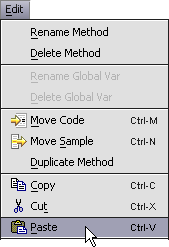
When you exit the current row, the data will be saved to the backend database automatically.
Data can also be modified in one or more editable fields in the
current record by using Select All .
To modify the current record using Select All:
Clicking or tabbing into a field on a specific record will make
that record become the current record automatically.
Press the keyboard shortcut CTRL-A / CMD-A.
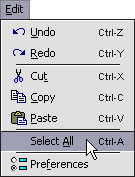
When you exit the current row, the data will be saved to the backend database automatically.
NOTE: Some fields may be set to read-only or your permissions might not allow you to modify their contents.