


|
|
|
|
|
Exiting Servoy Client depends on whether you are running Servoy Smart Client or Servoy Web Client:
To exit Servoy Smart Client:
Press ALT-F4 / CMD-Q.
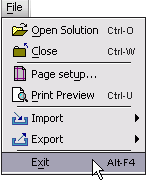
NOTE: On the Macintosh OS X operating system (10.3 and higher), there is also a Quit command menu item under the Application menu.
To exit Servoy Web Client:
Press ALT-F4 / CMD-Q.
NOTE: On the Macintosh OS X operating system (10.3 and higher), there is also a Quit command menu item under the Application menu.
TIP: Modern web browsers that support tabs, enable you to close one tab without exiting your web browser completely. So you would be able to exit Servoy Web Client by closing only one tab. For more information about using tabs, refer to the help file included with your browser.